
Synthesia price and terms
Terms
- Free plan
- YesYes
The terms in full
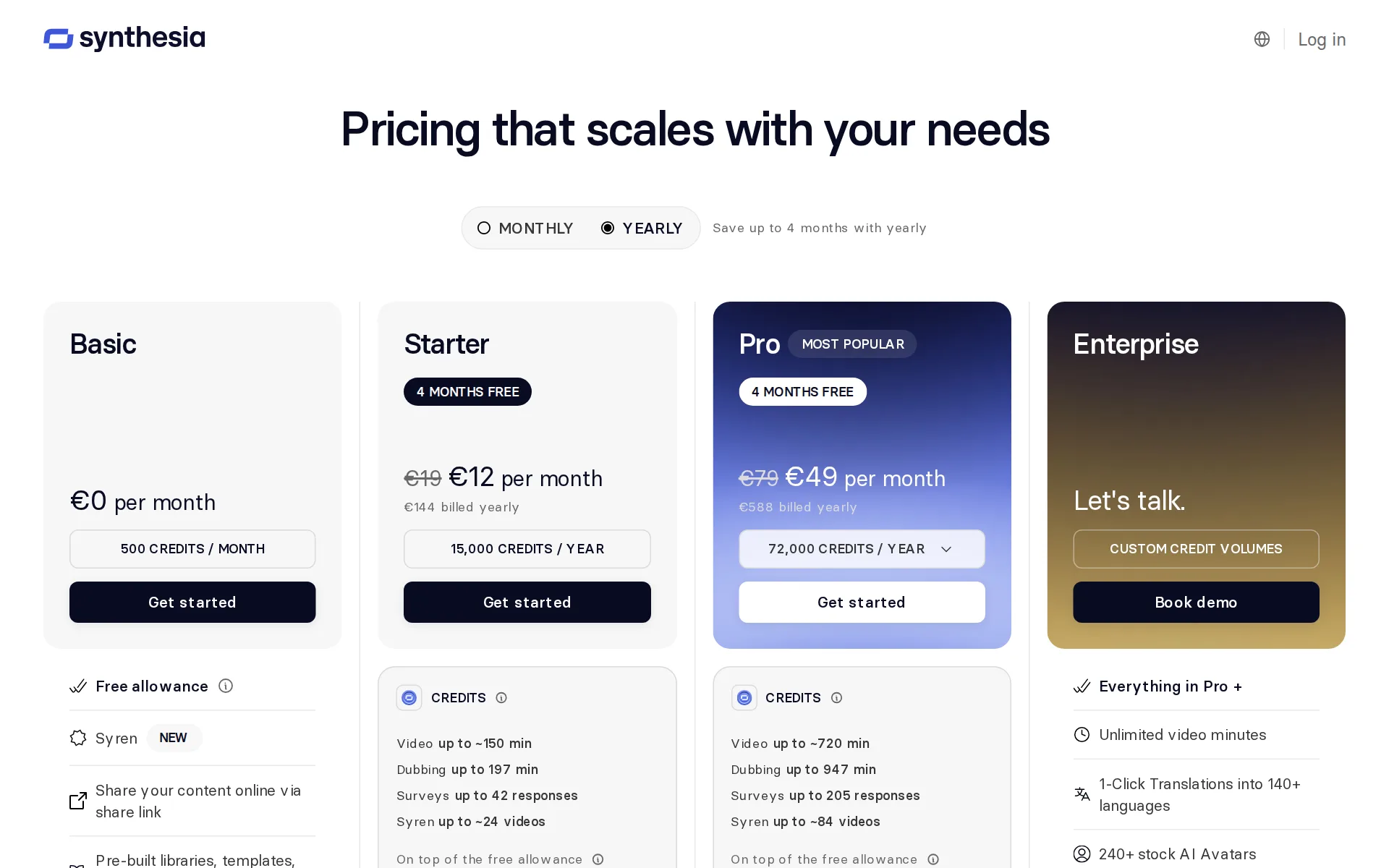
Basic plan, $0 a month, renewing monthly: 10 minutes of video creation or dubbing, 3 survey responses and 500 credits, 9 AI avatars, share-link only. Videos carry a Synthesia watermark and cannot be downloaded.
- Sign up without sales
- YesYes
For AI agents
- API
- Yes
Pricing page, captured
synthesia.io/pricing, checked
What we checked on Synthesia
Promotion and regular price
promotion: the headline Starter figure is a new-customer first-month offer of $9, after which the regular self-serve monthly rate is $19; Pro runs $49 then $89.
First month for $9 $19 $9 first month per month then $19 per month
synthesia.io/pricingChecked
What the price counts
Everything is metered in credits from one shared balance, on top of a 10-minute monthly video allowance: Basic 500, Starter 1,750 and Pro 6,500 credits a month.
Credits are one shared balance for every feature that uses credits, including video creation, dubbing, surveys, Interactive Avatars, B-roll, and the…
Voices that use more
The allowance drains faster for heavier output: lip-synced dubbing doubles the per-minute rate, avatars on screen throughout cost more than 100 credits a minute, and the Syren agent burns 1,000-2,000 credits per finished minute.
Match mouth movements to the translated audio. Uses 2x credits when enabled.
synthesia.io/pricingChecked
Past your allowance
Generation stops at the cap and you either buy extra credits or move up a plan, but the price of those extra credit packs is not published anywhere on the pricing page.
Video creation and survey response collection pause until your plan renews. To keep going straight away, you can buy extra credits from Plan &…
synthesia.io/pricingChecked
Unused credits
Nothing carries over: the monthly allowance and the plan's extra credits reset every billing period, and only separately purchased credits last, for twelve months.
No. Your monthly allowance (10 minutes of video, 3 survey responses and 500 credits) and your plan's extra credits reset each billing period.
synthesia.io/pricingChecked
Commercial use
Paid plans from Starter let you download and publish on your site, YouTube and social, but stock avatars and voices are barred from any paid promotion, and the free Basic plan cannot download at all.
Any use that does not include paid promo ❌ Use in any form of paid promotion
Stock voices
The vendor advertises more than 140 stock languages and voices with narration styles and local accents, though it never publishes a count of individual voices.
Get access to over 140 languages and voices, including various narration styles and local accents.
synthesia.io/pricingChecked
Languages
Stock voices cover more than 140 languages and accents with regional variants such as US and UK English, while a cloned voice is limited to 32 languages.
Synthesia offers stock voices across more than 140 languages and accents.
Pronunciation fixes
You can set a phonetic pronunciation per word and apply it to every instance in the current video, but saving it to a workspace Glossary so it holds across all videos is Enterprise-only.
Add to glossary is only available on Enterprise plans .
Several speakers
A scene can hold two or more avatars for dialogue, and AI dubbing detects multiple speakers and keeps a separate voice for each one.
Add two or more avatars in a scene.
synthesia.io/pricingChecked
Audio you get
From Starter upward a finished project downloads as MP4 in Full HD 1080p or as a WAV audio file, with SRT and VTT caption files alongside; MP3 is not offered.
.mp4 - Download video ( .mp4 file downloads in Full HD 1080p (1920x1080) .wav - Download audio .xliff - Download file for translation .srt - Download…
Instant cloning
A voice clone is recorded in the Voices tab from about twenty seconds of speech and is ready within minutes, and the plan comparison lists Voice Cloning as a platform feature.
Synthesia's AI Voice cloning lets you copy your voice in 20 seconds.
Professional cloning
Synthesia itself sells only the instant clone; a higher-fidelity Professional Voice Clone has to be created in ElevenLabs and transferred in, and the comparable premium avatar tier is a $1,000-a-year annual-plan add-on.
ElevenLabs Professional Voice Clone : a clone created in ElevenLabs and transferred to Synthesia.
Consent of the voice’s owner
Only your own voice may be cloned and the recording flow captures spoken consent; custom avatars additionally require documented permission from the person whose likeness is used.
Synthesia strictly prohibits cloning voices without explicit consent. We only allow the cloning of your own voice and require users to provide verbal…
Your voice trains their models
You grant a license over your inputs and outputs to improve the service, and fine-tuning is limited to components integrated with the service you use, but no opt-out switch is documented.
(d) the improvement or fine tuning of any artificial intelligence components unless integrated with the Services being used by Customer
Video dubbing
You upload a file or paste a YouTube link, pick target languages, and the dub keeps each original speaker's voice, accent and tone; dubbing is available on every plan including Basic.
Preserve the original speaker's voice, accent, and tone in the dubbed version.
synthesia.io/pricingChecked
Lip sync
Lip-sync is offered on every plan as an option in the dubbing setup, and switching it on doubles the credits a minute of source video consumes.
If your video features people speaking, we'll sync their lip movements to the translated audio.
Editing the translation
The original and translated transcripts are both editable before the final audio is produced, and a speaker's voice can be swapped for a stock voice or another clone.
Edit the original or translated transcript.
synthesia.io/pricingChecked
How long a video you can dub
Monthly dubbing volume is capped by plan at roughly 16 minutes on Starter and 78 on Pro above the 10 free minutes, and the public demo trims anything past one minute, but no per-video length or file-size ceiling is published.
Up to 16 minutes of dubbing / month, on top of the free allowance
synthesia.io/pricingChecked
Captions and subtitles
Closed captions are generated by default and download as SRT or VTT, dubbed videos get auto-generated subtitles in the translated languages, and burned-in or styled dynamic captions are also available.
Can be downloaded as .srt or .vtt files for external use.
Voice to video
The editor is a scene-based video tool with a timeline where you add your own footage and images, and you can upload a voiceover instead of a script for the narration track.
Upload your own voiceovers in place of a text script.
synthesia.io/pricingChecked
Team seats
Self-serve plans give one editor seat plus three or five comment-only guests, extra editors need Enterprise, and roleplay learner seats are sold separately at $29 each a month.
1 editor, 3 guests
synthesia.io/pricingChecked
API
Synthesia publicly documents four APIs for interactive avatars, video generation, asset upload, and billing information.
Synthesia has four APIs, built for different jobs:
API price
A public rate card prices dubbing at $0.40 a minute voice-only and $0.80 with lip-sync, and interactive avatars at $0.10 or $0.20 a minute, all drawn from the subscription credit balance.
Dubbing: voice only $0.40 per minute Dubbing: with lip-sync $0.80 per minute
synthesia.io/pricingChecked
Publishes to YouTube
You can dub straight from a YouTube link and generate music clearance codes for uploads, but self-serve users may not publish a dub made from a YouTube link and no second-audio-track publishing is documented.
You will be unable to publish videos dubbed from a YouTube link.
Platforms
web: it runs in the browser only, with no app to download; the mobile browser experience is limited to browsing, dubbing and the AI Playground, and the editor needs a desktop.
No. The Synthesia mobile experience runs in your mobile browser.
Works inside
Videos embed into the tools teams already run, with named integrations for PowerPoint, Excel, Microsoft Teams, Notion, HubSpot, Moodle, Docebo, Articulate 360 and automation through Make.
Embed Synthesia videos seamlessly into the platforms you already use: 360Learning Add impactful Synthesia videos into your 360Learning courses.
synthesia.io/integrationsChecked
AI labelling
A visible Synthesia logo marks Basic-plan and API test-mode output and provenance work is described as in progress, but paid output carries no stated watermark and no file-checking tool is offered.
If you are on the Basic Plan: The Synthesia logo (watermark) will appear on all videos created with your account. To remove it , upgrade your plan…
Who owns the audio
The customer terms say you own your inputs and outputs, and the license to Synthesia stock content embedded in generated videos survives the end of the subscription.
Customer will own all Customer Data, but excluding the components of the Services and Synthesia Content.
Free plan or trial
The standing Basic plan costs zero dollars per month and includes a recurring monthly creation allowance.
Basic $0 per month 500 credits / month
synthesia.io/pricingChecked
What the free plan leaves on your audio
Free Basic output carries the Synthesia logo on every video and cannot be downloaded at all, so it can only be shared by link until you upgrade.
Videos carry a Synthesia watermark
synthesia.io/pricingChecked
Still sold
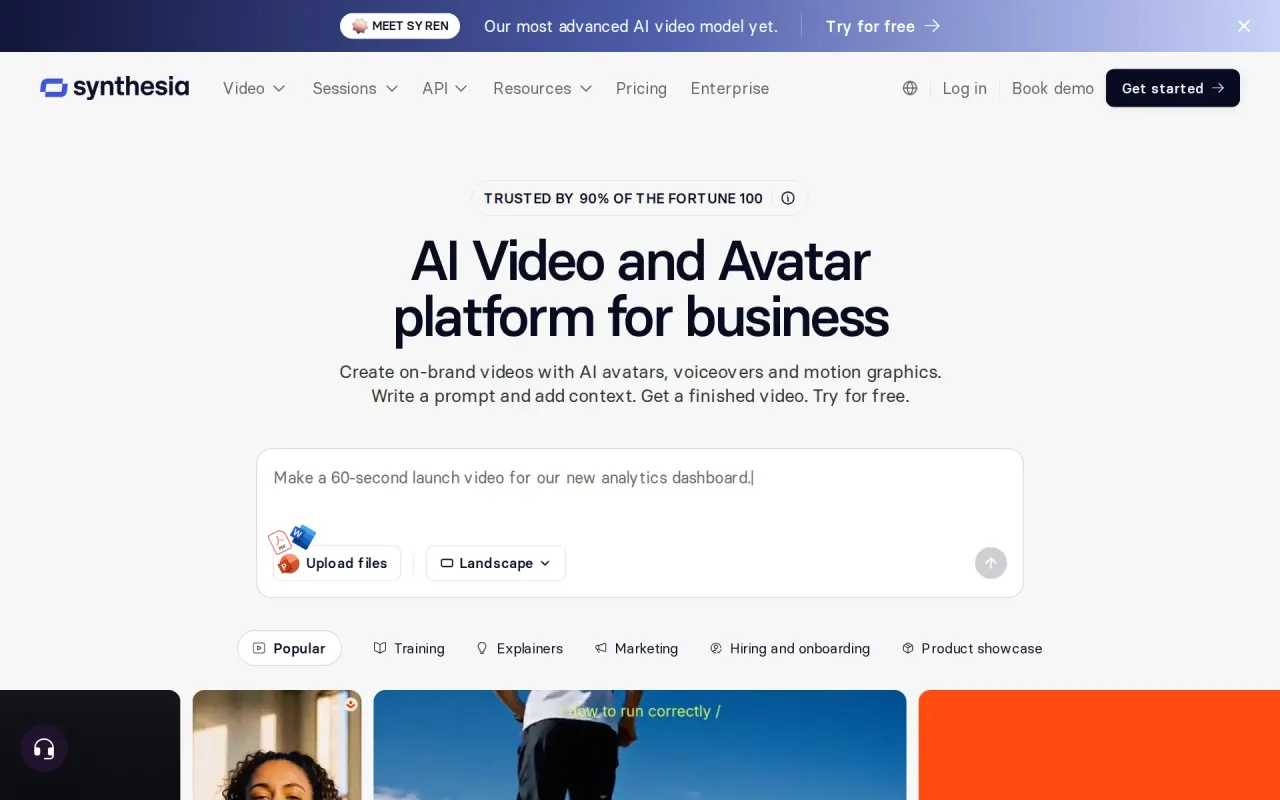
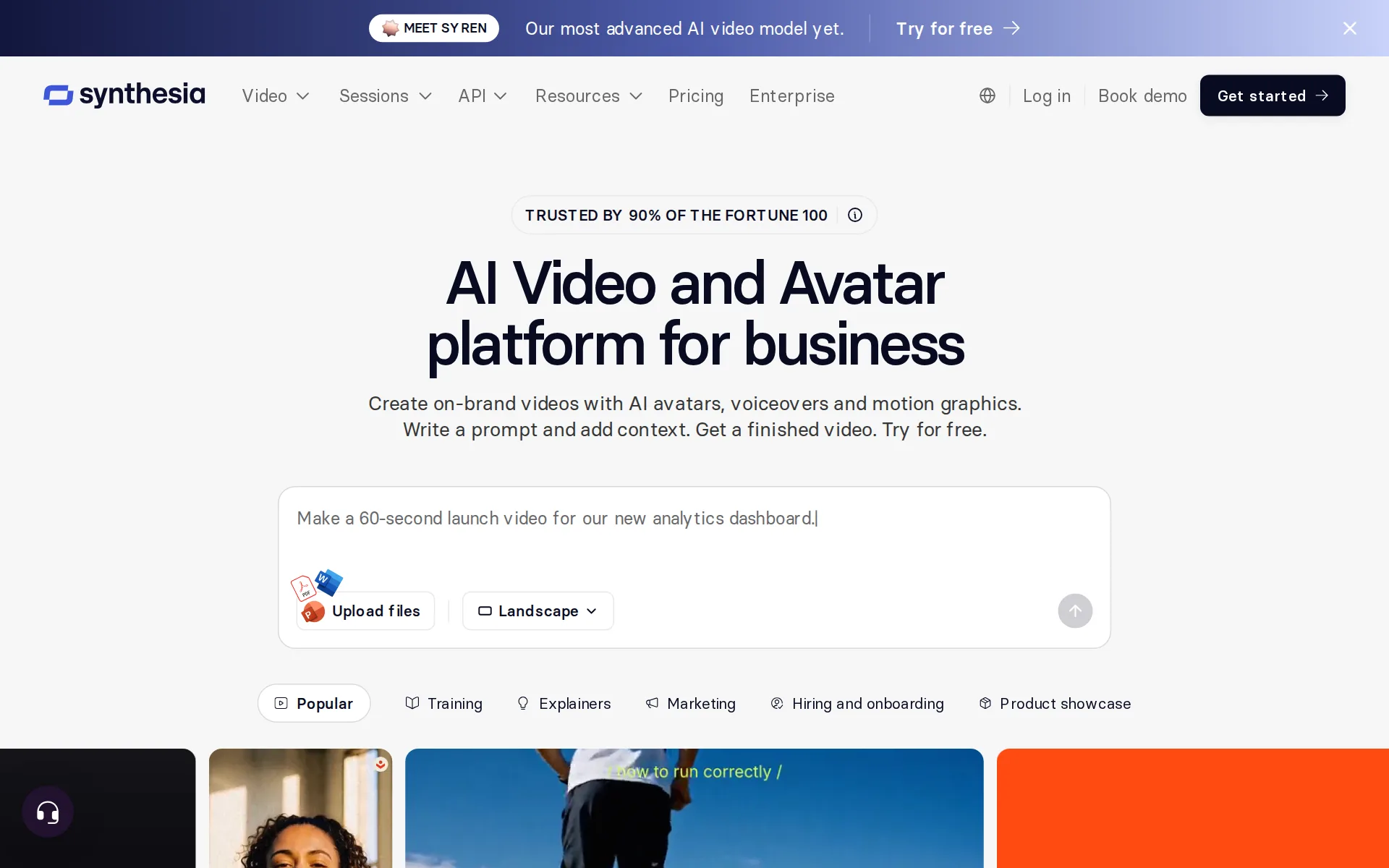
live: the vendor sells self-serve Basic, Starter and Pro plans online today, books Enterprise demos, and is shipping new work such as the Syren video model.
MEET SYREN Our most advanced AI video model yet. Try for free
synthesia.ioChecked
Sign up without a sales call
The Basic, Starter, and Pro plans each have a direct Get started purchase or signup route.
On the page: Pricing plan cards, Starter
synthesia.io/pricingChecked
Contract and cancelling
Paid plans bill monthly or annually, you can switch terms or credit level from Plan & billing, and cancelation is self-service in account settings with no call required.
Yes. Simply go to your account settings in Synthesia and cancel your plan.
synthesia.io/pricingChecked
Support
Support is live chat inside the app plus email at any hour, described as available 24/7; the free Basic plan gets AI chat, Starter regular support and Pro priority support.
Available 24/7 Contacting Support: email us at support@synthesia.io Live chat: please ensure you are logged into your Synthesia account
Synthesia alternatives
All 9 alternatives6 more alternatives
All 9 publish a price.
- AkoolFree, then $12 a seat a monthAI video suite with video translation, lip sync, text to speech, voice cloning and a voice changer.
- SpeechmaFree, then $9 a monthFree text to speech and creator audio tools with no account or credit card.
- VoicemakerFree, then $5 a monthCredit-metered AI text-to-speech studio with 2,000+ voices, voice cloning, speech-to-speech and SRT export.
- Fish AudioFree, then $15 a monthExpressive text-to-speech, voice cloning and long-form studio with a credit-metered API.


Sources and changes
Last changed
Sources18
- synthesia.io/pricing
- synthesia.io/features/ai-voice-cloning
- synthesia.io/legal/customer-terms-of-service
- synthesia.io/
- help.synthesia.io/en/articles/10054222-how-do-i-dub-a-video
- help.synthesia.io/en/articles/11972627-what-are-credits-and-how-do-they-work-on-self-serve-plans
- help.synthesia.io/en/articles/14725864-can-i-use-synthesia-on-a-mobile-device
- help.synthesia.io/en/articles/15516270-what-voice-options-does-synthesia-offer
- help.synthesia.io/en/articles/6341718-how-do-captions-work-in-synthesia
- help.synthesia.io/en/articles/6341928-synthesia-video-licensing
- help.synthesia.io/en/articles/7182166-how-to-contact-us
- help.synthesia.io/en/articles/7194908-which-stock-voices-and-languages-are-available-in-synthesia
- help.synthesia.io/en/articles/9317524-how-do-i-download-my-synthesia-video
- help.synthesia.io/en/articles/9399195-how-do-i-use-pronunciation-in-synthesia
- help.synthesia.io/en/articles/9564635-how-do-i-remove-the-synthesia-watermark
- synthesia.io/features/ai-dubbing
- synthesia.io/integrations
- docs.synthesia.io/reference/introduction
What changed on this page1
- Dubbing features, free tier, license terms, plan limits, plans
Is this yours?
Claim this listing for free to see who reads it and mark it as yours. You confirm it with an email at synthesia.io.
Report an error if a fact is wrong.